Build Daily Routines
That Actually Stick

How It Works
Three steps to build habits that last.
Create Your Routine
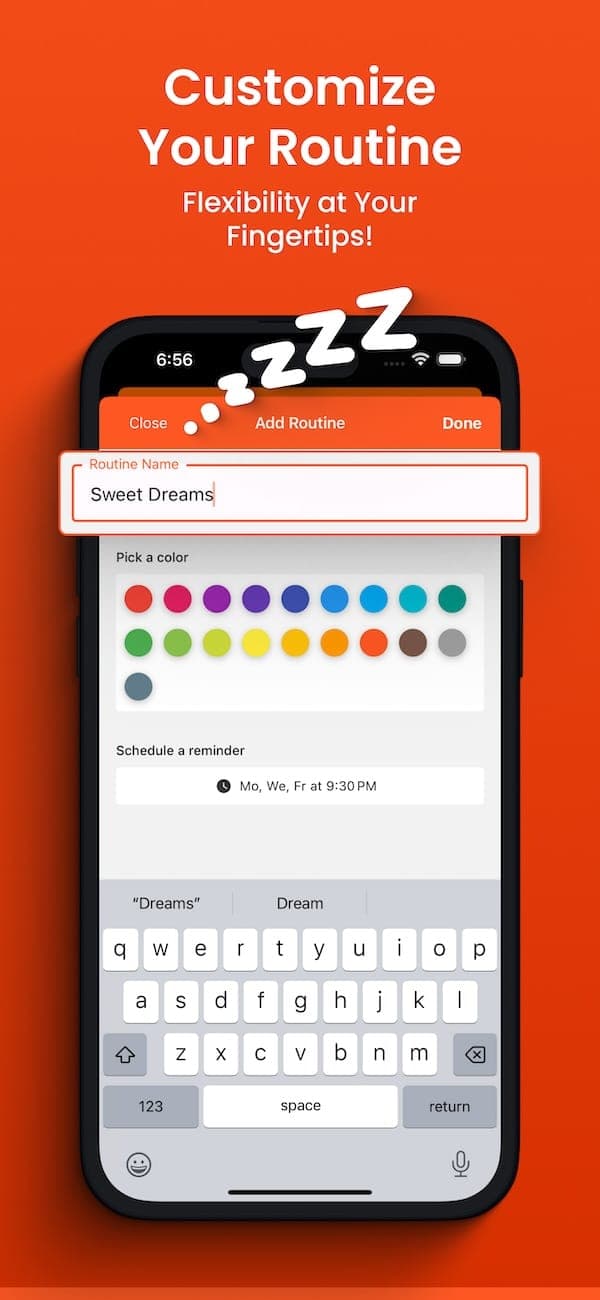
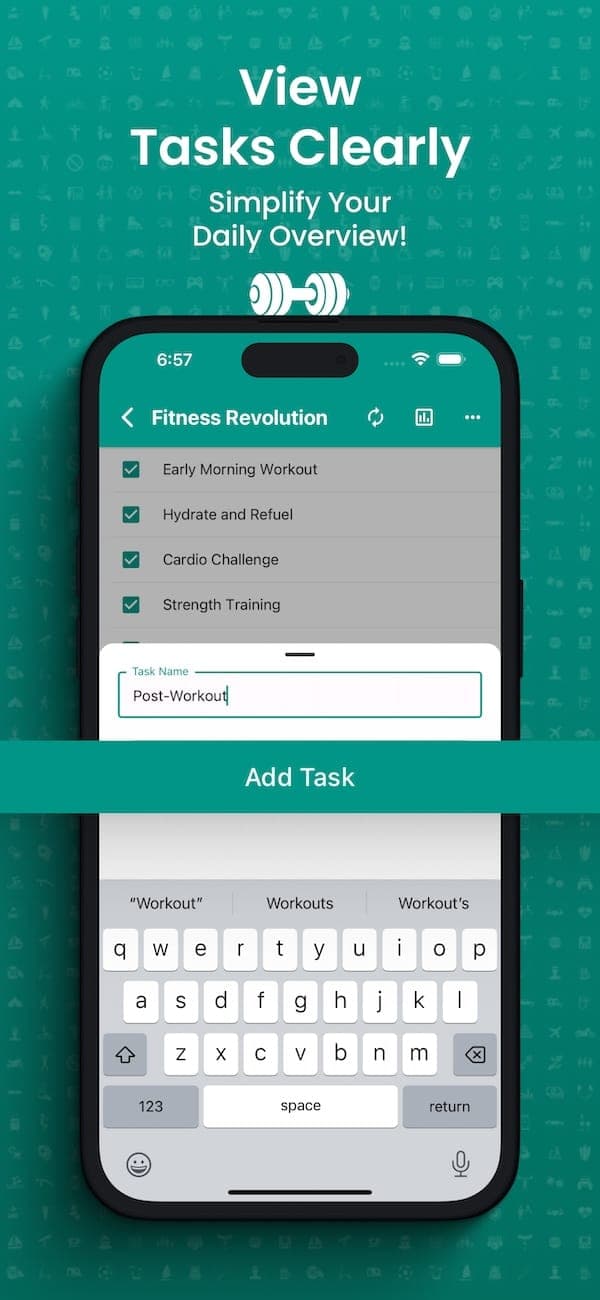
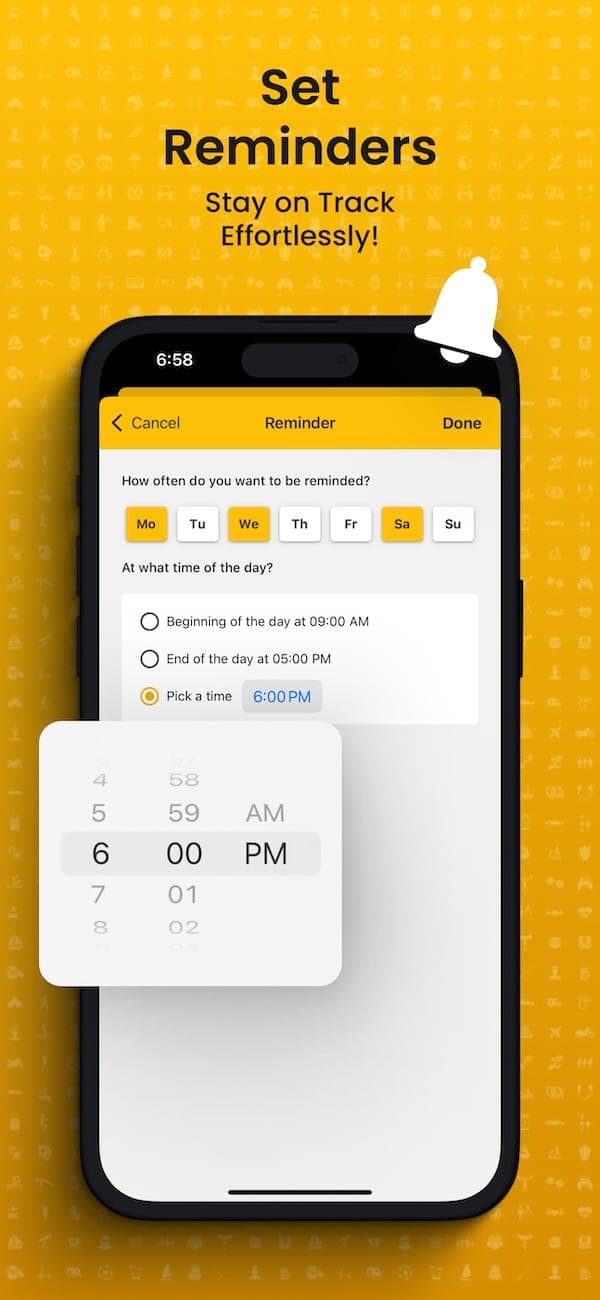
Pick a name, choose an icon and color, then add your tasks. Set a reminder so you never forget.
Complete Your Tasks
Check off tasks throughout the day. Finish everything in a routine and your streak grows.
Track Your Progress
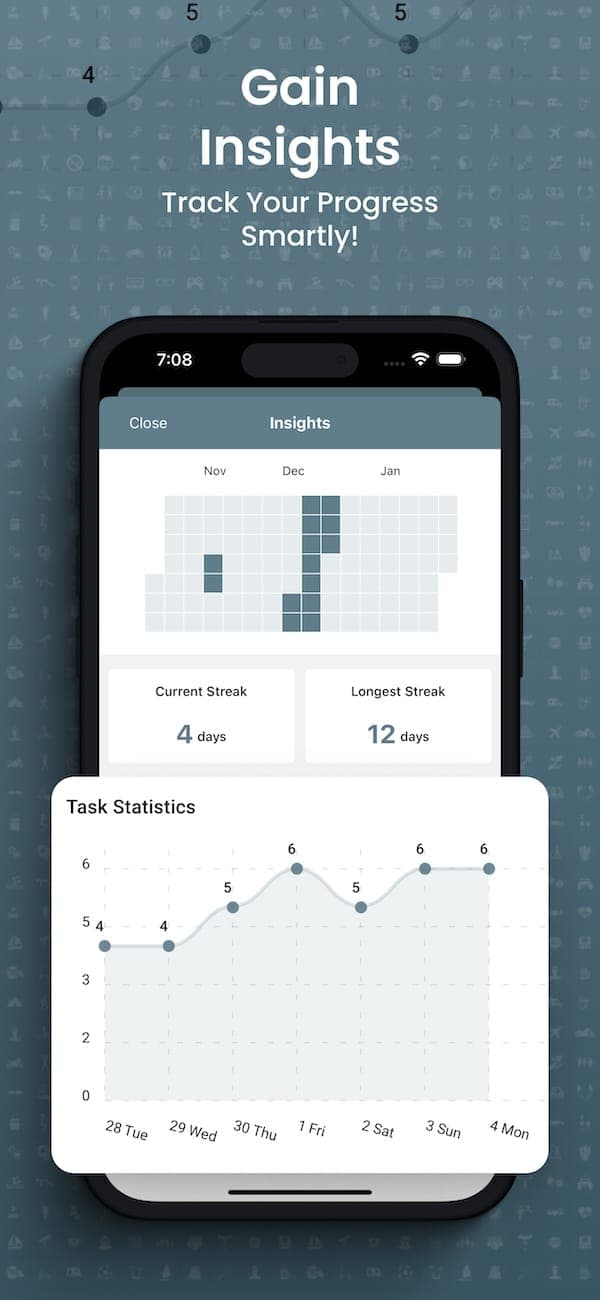
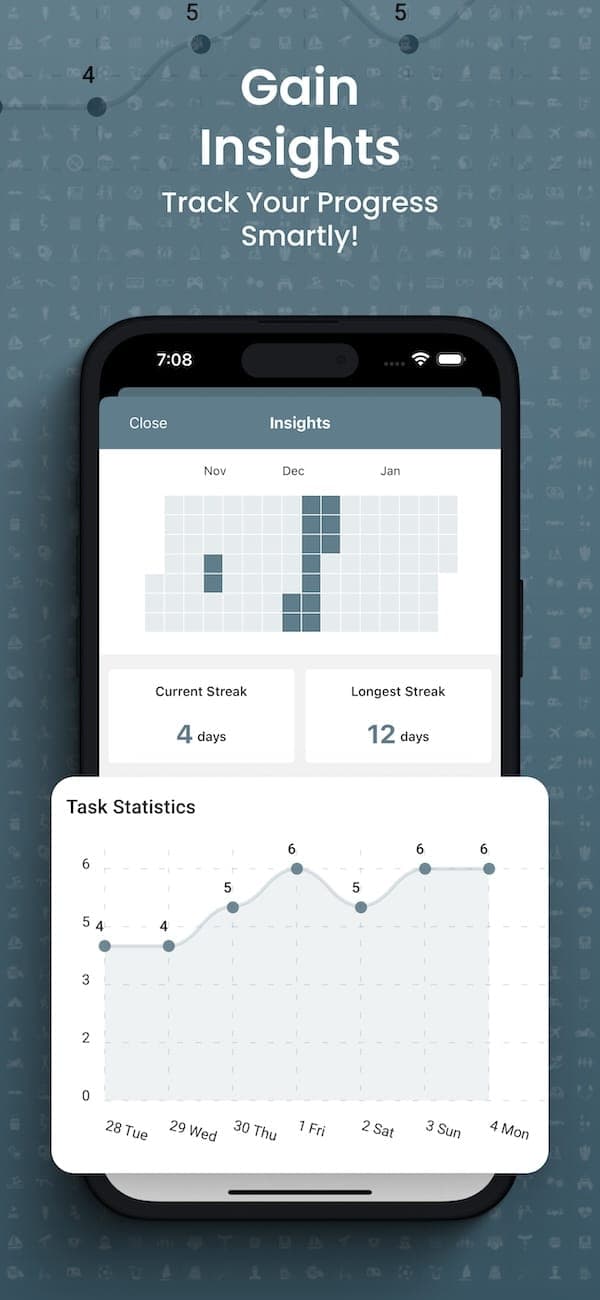
See streaks, weekly charts, and monthly trends. Know exactly where to improve.
Everything You Need
Build, track, and maintain daily habits — no overcomplicating things.
Customizable Routine Builder
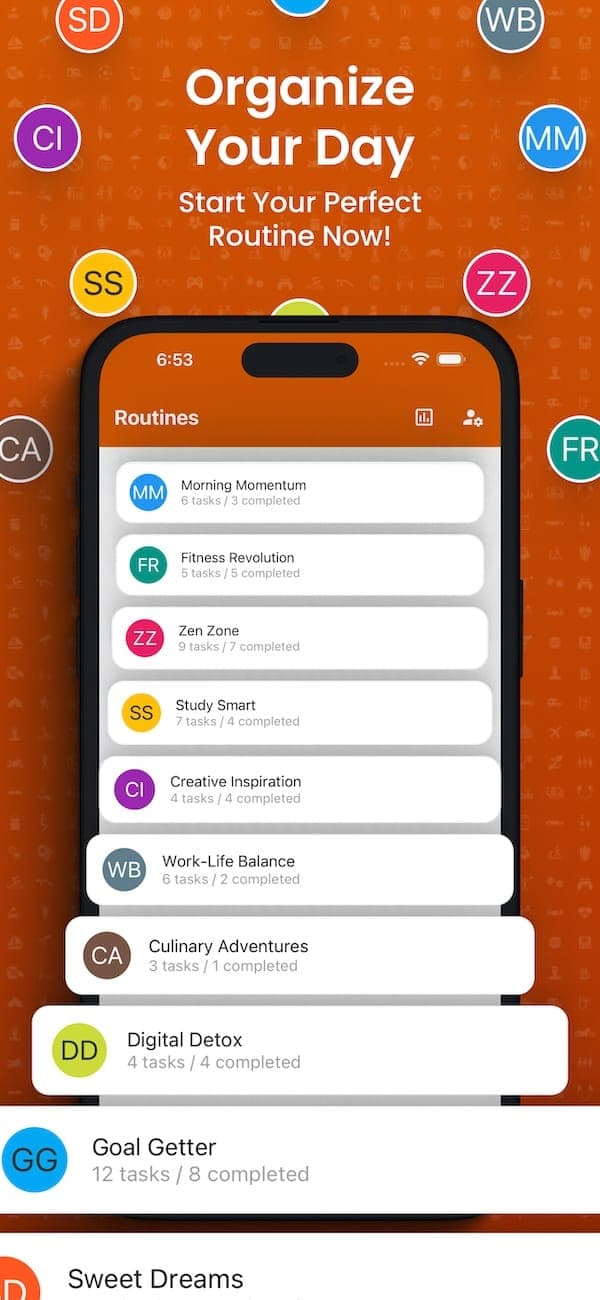
Create routines that match your life. Pick a title, icon, and color. Add tasks in any order, then drag to rearrange. Each routine becomes a repeatable checklist you can reset and reuse every day.
Streaks & Visual Insights
See how consistent you really are. Track current and longest streaks, view weekly task totals, and browse monthly completion trends. Interactive charts show your progress at a glance.
Smart Reminders
Schedule repeating reminders for specific weekdays and times. Notifications open directly to the routine so you can start checking off tasks right away.
One-Tap Reset
Finished for the day? Reset your entire task list with a single tap and start fresh tomorrow. Your completion history is preserved for analytics.
Power-Ups for Advanced Routines
Go beyond basic tracking. Power-Ups add intelligent behaviors to your routines so you stay accountable without extra effort.
Routine Aging
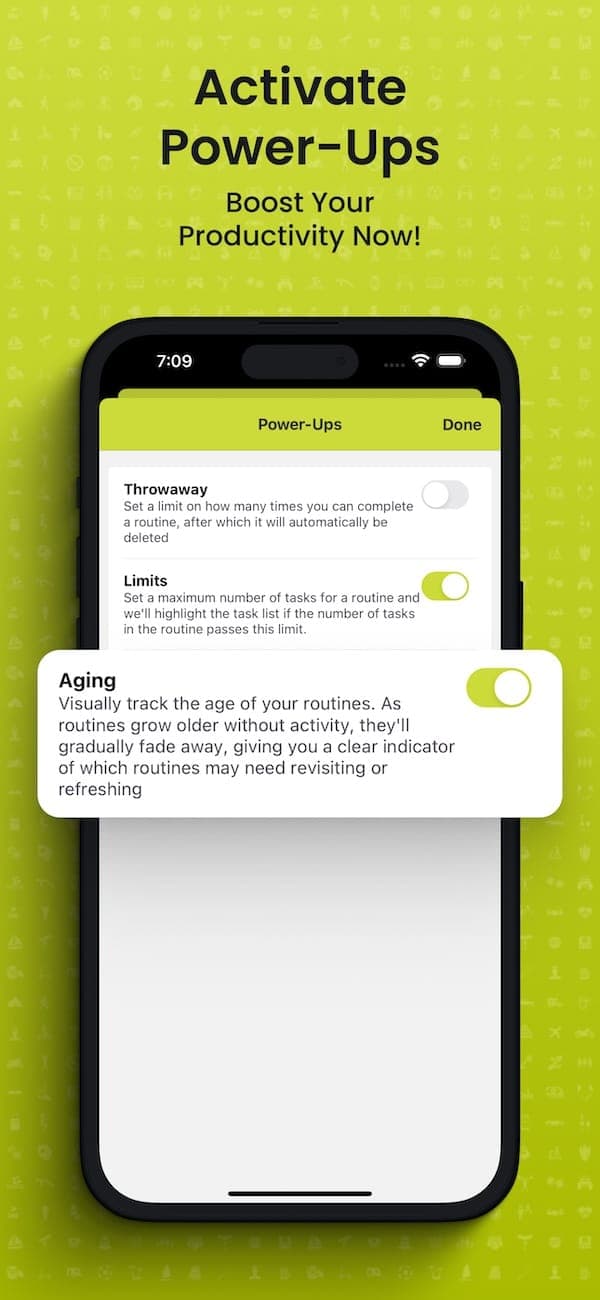
Routines you haven't completed recently start to fade visually. The longer you ignore one, the more it stands out as needing attention. A quiet nudge, not a loud alarm.
Routine Limits
Set a maximum task count per routine. When you hit the threshold, the app flags it so you can keep routines focused and avoid scope creep.
Almost at your limit
Throwaway Routines
Create a routine that's meant to be temporary. Use it for a one-off checklist, a short challenge, or a trial period. When it's served its purpose, it gets out of your way.
Designed to Feel Effortless
Quick-add flows, streak views, and completion stats that make daily check-ins feel natural.
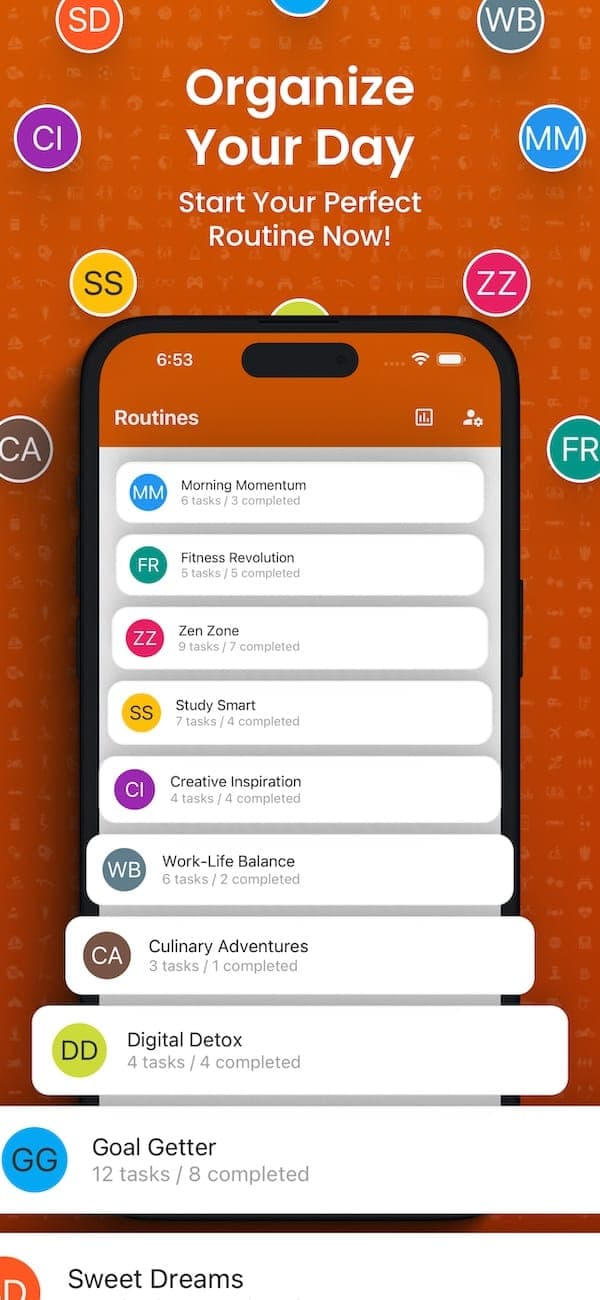
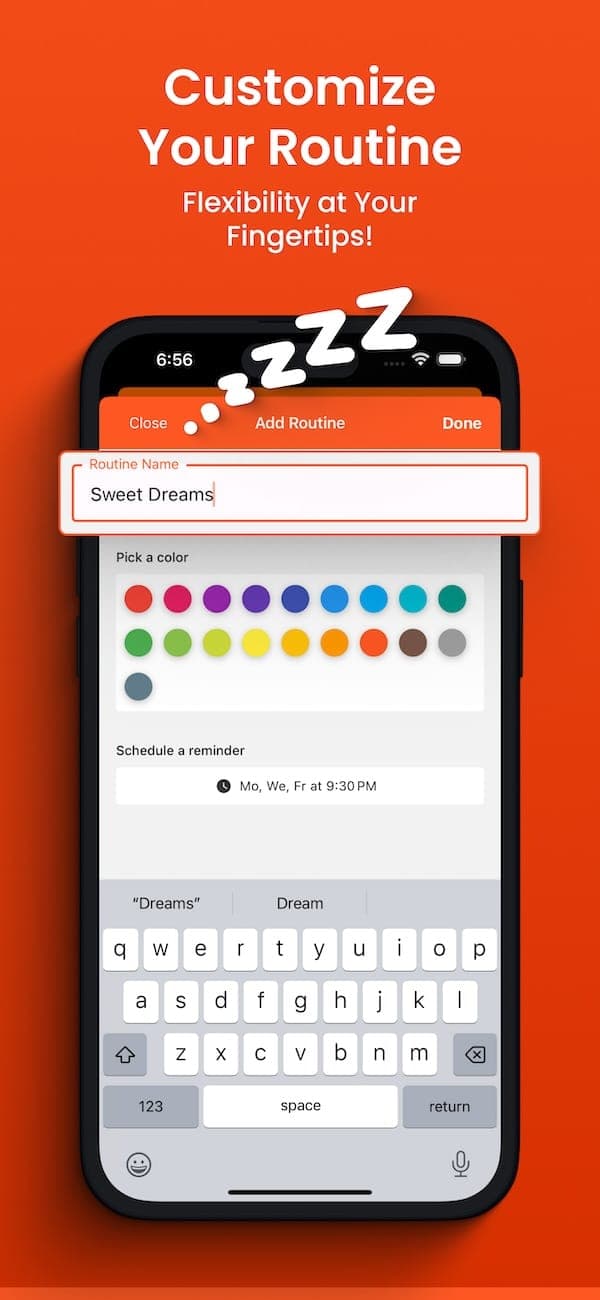
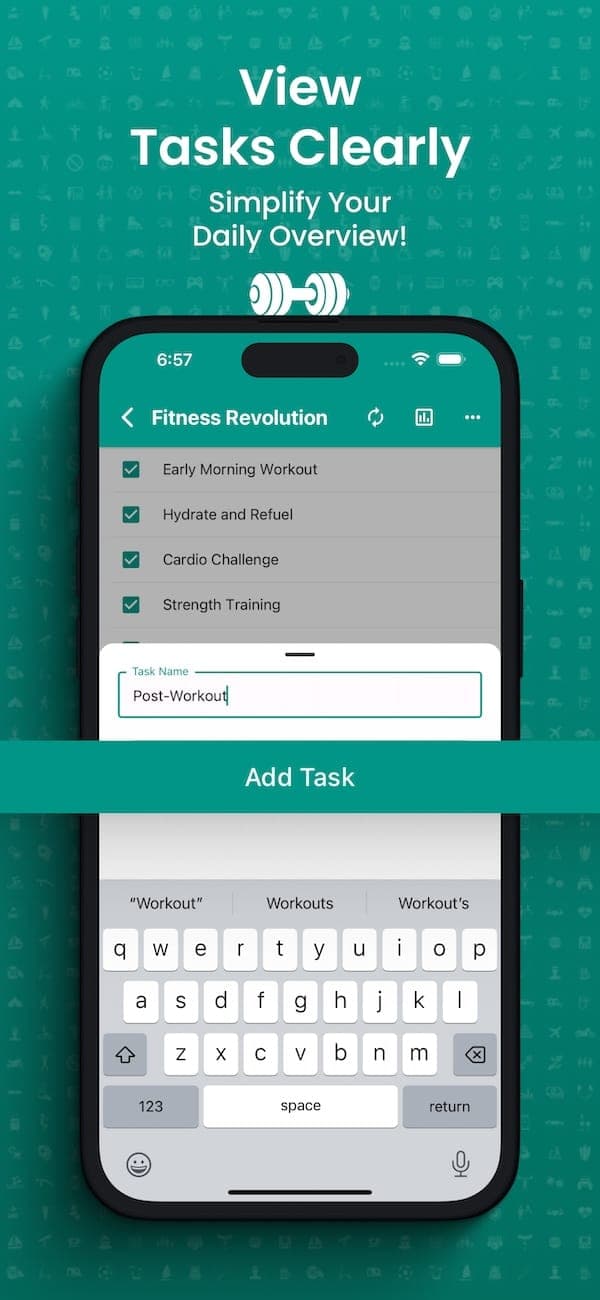
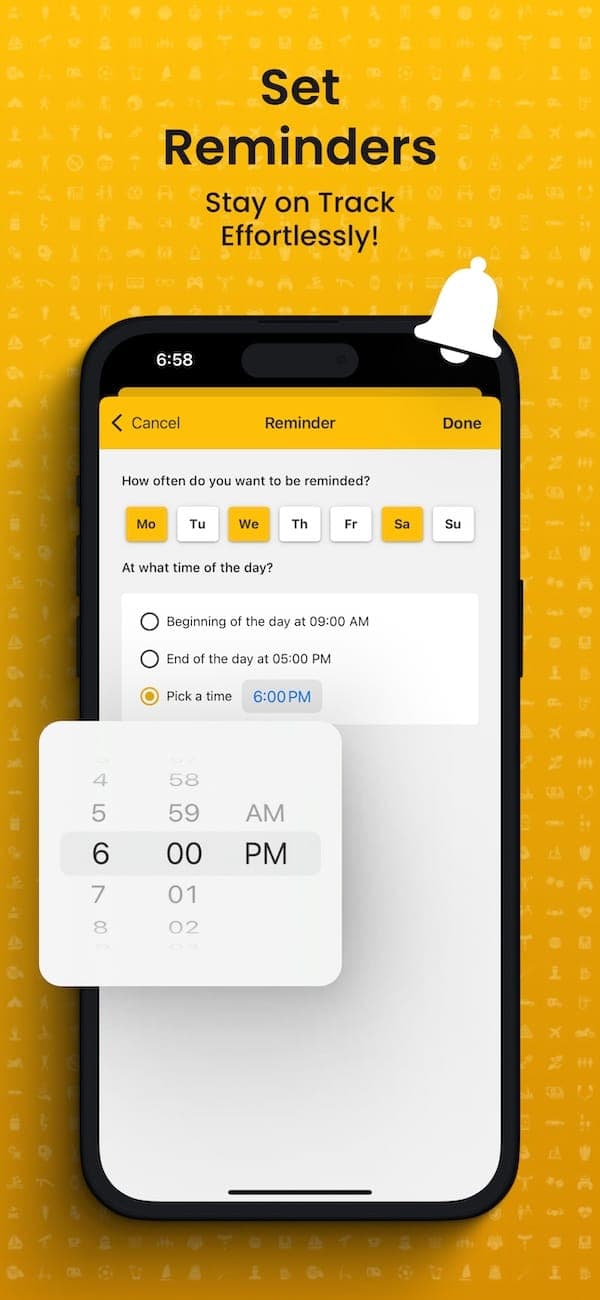

Your Routines, Your Rules
Pick from dozens of icons, assign a color, add tasks in any order, then drag to rearrange. Your morning coffee before your workout, not after.
From a 3-step bedtime wind-down to a 15-task weekly review, it scales without feeling cluttered.
Insights That Drive Better Habits
Contribution calendar, streak counts, 7-day totals, and a global dashboard with monthly trends. Know which routine needs more attention at a glance.
No spreadsheets needed. Just open the app and see how your habits are going.
28 Themes to Match Your Vibe
Pick the colors that motivate you. Your theme applies across the entire app — routine cards, charts, and headers.
Switch anytime from Settings. Your preference syncs across devices.
Questions & Answers
Quick answers about Routines Pulse.
Is Routines Pulse free to use?
Yes. Routines Pulse is completely free to download and use on both iOS and Android. All core features including routine creation, streak tracking, insights, and reminders are included at no cost.
Can I use Routines Pulse without creating an account?
Yes. You can start using the app immediately as a guest. Your data is saved automatically. You can optionally create an account later to secure your data with email, Google, or Apple Sign-In.
How does streak tracking work?
Every time you complete all tasks in a routine, it counts as a completion for that day. Consecutive daily completions build your streak. The app tracks your current streak and longest streak so you can stay motivated.
Does Routines Pulse work offline?
The app uses offline persistence, so your routines and tasks remain accessible even without an internet connection. Changes sync automatically when you reconnect.
What are Power-Ups?
Power-Ups are advanced routine behaviors. Routine Aging fades routines you haven't touched recently to keep you accountable. Routine Limits alerts you when a routine has too many tasks. Throwaway Routines are designed for one-time use.
What platforms does Routines Pulse support?
Routines Pulse is available on both iOS (iPhone) and Android. The app supports Apple Sign-In, Google Sign-In, and email/password authentication on both platforms.
Start Building Better Habits
Download Routines Pulse for free. Create your first routine in under a minute.